
Introduction: What Does IPTV Mean and Why Does It Matter?
If you’ve ever streamed a TV show on your phone or watched live sports through an app, you’ve already experienced something close to IPTV — whether you knew it or not. But what exactly is the IPTV meaning, and why is everyone talking about it?
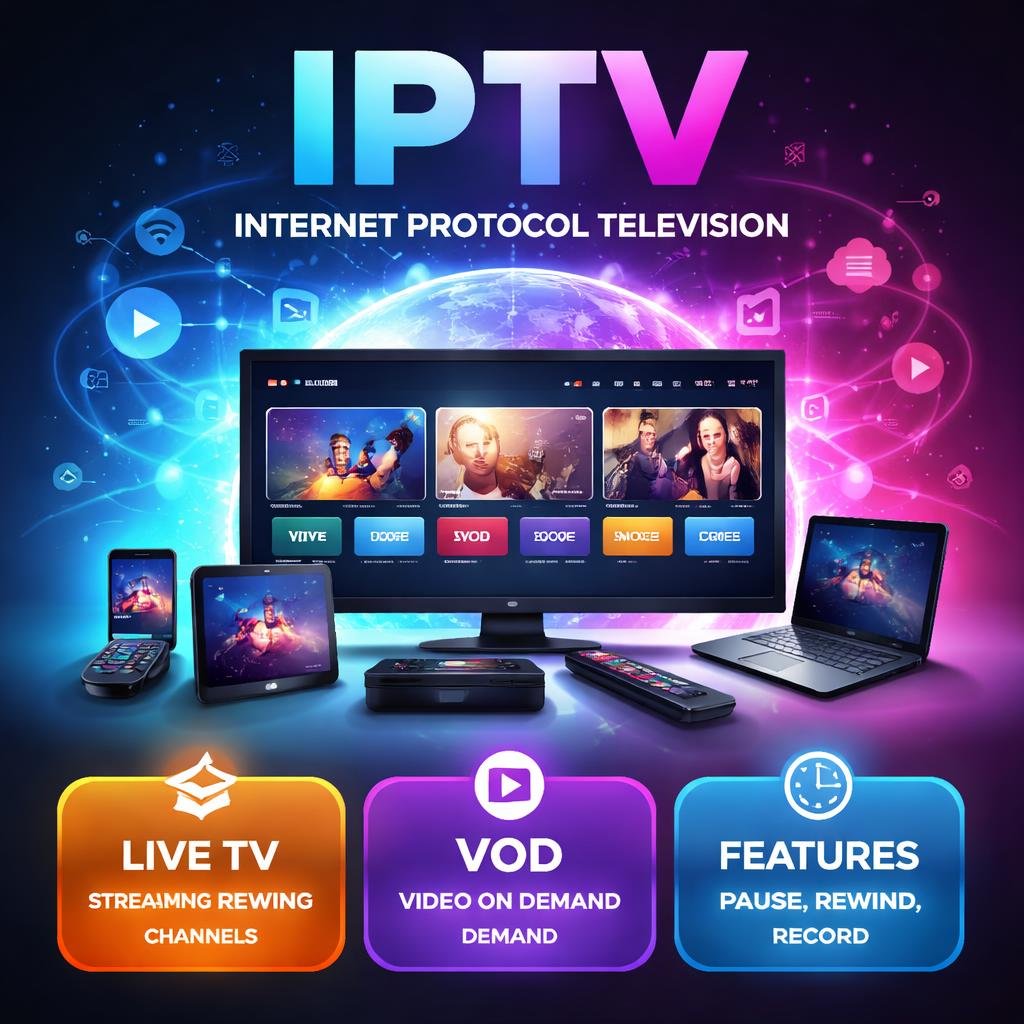
IPTV meaning in its simplest form is this: television delivered through the internet rather than through a traditional cable wire or satellite dish. The term stands for Internet Protocol Television, and it represents a massive shift in how the world watches TV.
Over the past decade, millions of viewers have cut the cord on cable subscriptions and switched to IPTV services. The reasons are clear — more flexibility, lower costs, and the ability to watch what you want, when you want, on virtually any device.
Whether you’re a complete beginner or someone who’s heard the term but never fully understood it, this guide will walk you through everything: the full IPTV meaning, how the technology works, its pros and cons, legality, and how to get started.
What Is IPTV? A Detailed Explanation
To understand what is IPTV, you first need to understand how traditional TV works — and why it’s being left behind.
With conventional cable or satellite TV, broadcasters send signals through physical cables buried underground or via satellites orbiting Earth. Your TV receives those signals and displays the content. You get what’s being broadcast at that moment, on that channel, at that time. There’s very little flexibility.
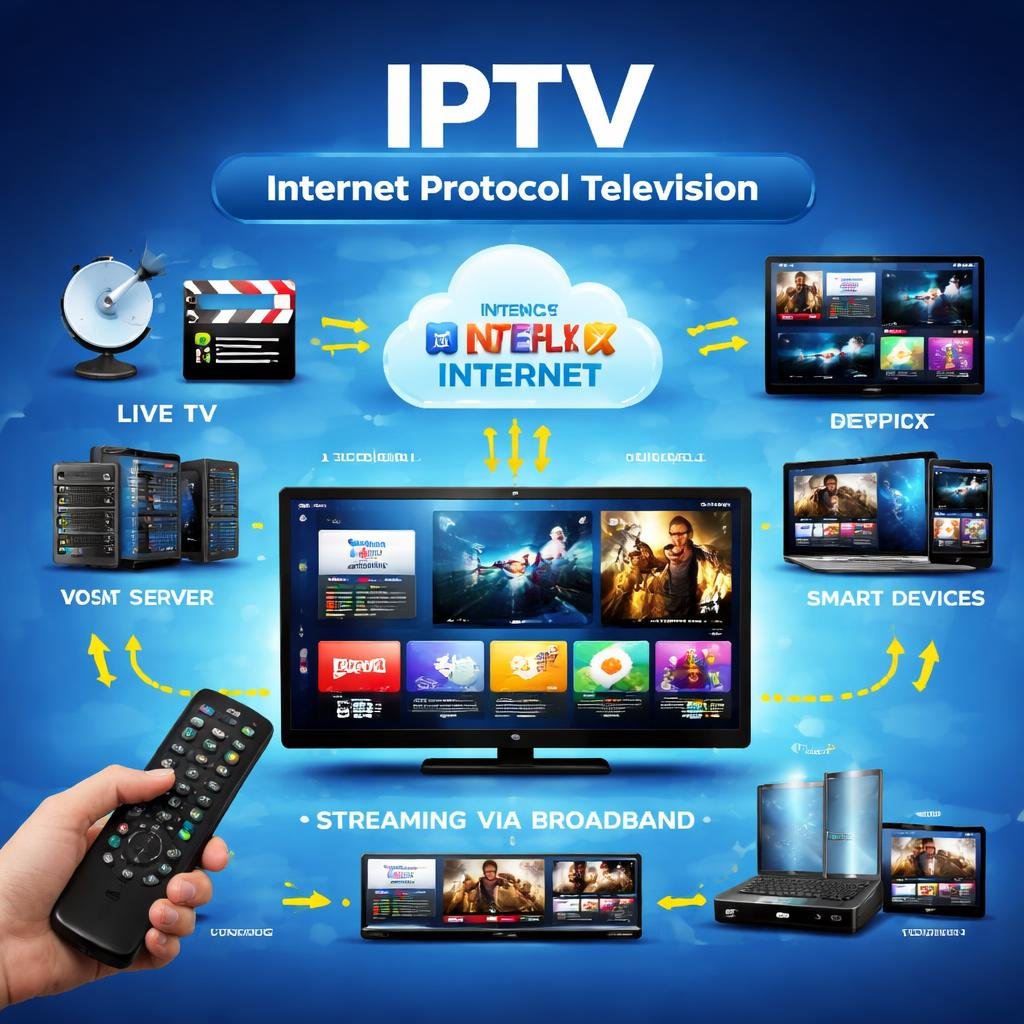
IPTV works completely differently. Instead of using dedicated broadcast infrastructure, IPTV delivers television content using the same internet networks you use to browse websites, send emails, and stream music. Content is broken into small digital packets, transmitted over the internet using Internet Protocol (IP), and then reassembled on your device for playback.
Think of it like this: traditional TV is like a one-way radio broadcast — everyone hears the same thing at the same time. IPTV is more like a phone call — the content travels directly to you, on demand, when you want it.
This is why IPTV has fundamentally changed the entertainment landscape. Streaming giants like Netflix, Hulu, and Disney+ are built on IPTV principles. But IPTV also powers smaller services, local TV apps, and even corporate internal video networks.
IPTV Meaning Explained: Breaking Down the Term
Let’s break the IPTV full form down word by word:
I — Internet This refers to the global network of connected computers and servers. IPTV relies on broadband internet connections — either through fiber, cable, DSL, or even 4G/5G mobile networks — to deliver content to your screen.
P — Protocol A protocol is a set of rules that governs how data is sent and received across a network. The “IP” in IPTV refers specifically to Internet Protocol, the foundational communication standard that makes the modern internet possible. Every device connected to the internet has an IP address, and data travels between these addresses in organized packets following IP rules.
T — Television This is straightforward — the end product is video content designed for viewing on screens. That content could be live TV channels, movies, sports events, TV series, news programs, or any other video media.
Put it all together and the IPTV meaning becomes clear: a system that delivers television content to viewers using internet protocols, rather than through traditional broadcast, cable, or satellite methods.
This might sound technical, but the experience from a viewer’s perspective is simple: you open an app, choose what to watch, and press play.
How IPTV Works: A Step-by-Step Breakdown
Understanding how IPTV works helps explain why it’s so powerful and flexible. Here’s the process from start to finish:
Step 1: Content Acquisition
An IPTV provider acquires video content. This could be live TV channels (sports, news, entertainment), licensed movies and series, or original productions. The provider negotiates rights to broadcast this content to subscribers.
Step 2: Encoding and Compression
Raw video footage is enormous in file size. Before delivery, the content is encoded — converted into a digital format — and compressed using standards like H.264 or H.265 (HEVC). This makes it small enough to stream efficiently without losing too much visual quality.
Step 3: Hosting on Servers
The encoded content is stored on and served from powerful content delivery servers (also called CDNs — Content Delivery Networks). These servers are strategically placed around the world to ensure fast, reliable delivery to viewers in different geographic locations.
Step 4: Transmission Over IP Networks
When you press play on your IPTV app, a request is sent to the server. The server responds by sending the video content as a stream of small data packets over the internet using Internet Protocol. These packets travel through your broadband connection to your device.
Step 5: Decoding and Playback
Your device — whether it’s a smart TV, smartphone, tablet, or streaming box — receives those packets, reassembles them in order, and decodes them back into video and audio. This all happens in milliseconds, which is why live streams feel almost instantaneous.
Step 6: The Middleware Layer
Between the server and your screen, many IPTV systems use middleware — software that manages the user interface, login authentication, content libraries, and subscription management. This is what makes IPTV services feel like polished apps rather than raw streams.
The entire process requires a stable internet connection. Generally, you’ll need at least 10–25 Mbps for smooth HD streaming, and 25 Mbps or more for 4K content.
Types of IPTV Services
Not all IPTV is the same. There are three primary types of IPTV services, each serving a different viewing need:
1. Live Television (Live IPTV)
This is the closest IPTV equivalent to traditional TV. Live IPTV streams channels in real time — sports games, news broadcasts, award shows, and live events — just as they happen. The difference from cable is that these streams travel over the internet rather than a cable wire.
Examples include streaming live sports through an app like ESPN+, or watching a live news broadcast through a network’s official streaming platform.
2. Video on Demand (VOD)
Video on Demand is perhaps the most popular form of IPTV. With VOD, content is stored on servers and available for viewing at any time. You choose what to watch and when to watch it — there’s no fixed schedule.
Netflix, Amazon Prime Video, and Apple TV+ are all VOD services built on IPTV technology. The beauty of VOD is its library model: thousands of movies and shows available at your fingertips, 24/7.
3. Time-Shifted Media (Catch-Up TV)
Time-shifted media is a clever middle ground between live TV and VOD. It allows you to watch broadcasts that already aired — usually within a window of 7 to 30 days after the original airtime.
For example, if you missed a TV show that aired last Tuesday, time-shifted IPTV lets you go back and watch it. This type is often called Catch-Up TV and is offered by many broadcasters through their official apps.
A related feature is Start-Over TV, which lets you restart a currently airing program from the beginning, even if it started an hour ago.
IPTV vs Traditional Cable and Satellite TV
One of the most common questions people ask is: how does IPTV vs cable TV stack up? The differences are significant. Here’s a side-by-side comparison:
| Feature | IPTV | Cable TV | Satellite TV |
|---|---|---|---|
| Delivery method | Internet (IP networks) | Physical coaxial cable | Satellite signal |
| Device compatibility | Smart TV, phone, tablet, PC, streaming box | Dedicated cable box + TV | Dedicated receiver + TV |
| On-demand content | Extensive VOD libraries | Limited | Limited |
| Geographic flexibility | Watch anywhere with internet | Fixed location only | Fixed location only |
| Contract required | Usually no | Often yes (12–24 months) | Often yes |
| Monthly cost | Generally lower ($5–$50+) | Higher ($60–$150+) | Higher ($60–$150+) |
| Channel customization | High — pick what you need | Low — forced bundles | Low — forced bundles |
| Picture quality | Up to 4K (internet-dependent) | HD, some 4K | HD, some 4K |
| Installation required | No — just an app | Yes — professional install | Yes — dish installation |
| Internet required | Yes | No (but often bundled) | No |
| Pause/rewind live TV | Yes (on most services) | Sometimes | Sometimes |
The verdict? For most modern viewers, IPTV offers more flexibility and value. The main trade-off is that IPTV’s quality depends entirely on your internet connection speed and stability. Cable and satellite are generally more reliable in areas with poor broadband infrastructure.
Benefits of IPTV
The benefits of IPTV are numerous, which explains why the technology has seen explosive growth worldwide. Here are the most compelling advantages:
1. Watch Anywhere, on Any Device Unlike cable TV, which ties you to a physical box in your living room, IPTV works on smartphones, tablets, laptops, smart TVs, and streaming devices. You can start watching a movie on your TV at home and finish it on your phone during your commute.
2. Lower Costs IPTV services are almost always cheaper than traditional cable subscriptions. You also avoid equipment rental fees, installation charges, and long-term contracts. Many IPTV services offer monthly rolling subscriptions with no cancellation penalties.
3. Massive Content Libraries VOD-based IPTV gives you access to thousands of titles on demand. No more waiting for a movie to air on a specific channel — just search and press play.
4. Personalization and Recommendations IPTV platforms collect viewing data and use algorithms to recommend content you’ll enjoy. The more you watch, the smarter the suggestions become.
5. Multiple Streams Simultaneously Many IPTV services allow multiple streams on a single subscription, meaning different family members can watch different content at the same time on different devices.
6. Interactive Features IPTV enables two-way communication between the viewer and the service. This allows features like pausing live TV, in-program voting, interactive advertising, and content recommendations that traditional broadcast TV simply cannot offer.
7. International Content Access IPTV breaks down geographic barriers. With the right service and setup, viewers can access channels and content from other countries — perfect for expats or those learning a foreign language.
8. No Weather Interruptions Unlike satellite TV, which can lose signal during heavy rain or storms, IPTV remains stable as long as your internet connection is working.
Disadvantages of IPTV
Fairness demands that we also look at the drawbacks:
1. Internet Dependency IPTV is only as good as your internet connection. Slow speeds, network congestion, or outages will directly impact your viewing experience — causing buffering, pixelation, or complete service loss.
2. Buffering and Latency Even with a decent connection, IPTV can sometimes buffer during peak hours when internet traffic is high. This is less common with premium services but can be an issue with cheaper providers.
3. Data Usage Streaming video consumes significant data. HD streaming uses roughly 3–5 GB per hour; 4K can use 15–25 GB per hour. If you have a data cap on your internet plan, this can be a real concern.
4. Not All IPTV Services Are Legitimate The IPTV market is flooded with unlicensed, unofficial services offering thousands of channels at suspiciously low prices. Using these can expose you to legal risks and security vulnerabilities (more on this below).
5. Content Rights Restrictions Even legitimate IPTV services are subject to licensing restrictions. A service available in the US may not have the rights to show certain content in Europe, leading to geo-blocking.
6. Technical Setup Can Be Intimidating For complete beginners, setting up IPTV — especially third-party services — can involve M3U playlists, middleware apps, and network configuration that feels overwhelming compared to simply plugging in a cable box.
Is IPTV Legal?
This is one of the most important questions surrounding IPTV services, and the honest answer is: it depends entirely on the source and the content.
Legal IPTV Services
IPTV as a technology is completely legal. Services like Netflix, Hulu, Disney+, Amazon Prime Video, YouTube TV, Sling TV, Peacock, and many others are all IPTV-based platforms operating within the law. They have paid for proper licensing rights to broadcast the content they offer.
Illegal IPTV Services
The problem arises with unofficial IPTV providers — often marketed through social media or forums — that offer hundreds or thousands of live TV channels, premium sports packages, and movie libraries for very low prices (sometimes just $5–$20 per month). These services almost always distribute content without licensing rights, which means they are pirating content from legitimate broadcasters.
Using such services may be illegal in your country. In many jurisdictions — including the United States, the United Kingdom, the European Union, and Canada — streaming content from unauthorized sources can expose users to legal liability, not just the providers.
The Gray Zone
Some IPTV apps and tools are legal in themselves but become illegal based on what content is loaded into them. For example, a media player app might be completely legitimate, but if you load it with M3U playlists from unlicensed sources, you’re accessing pirated content.
How to Stay Safe and Legal
- Always use IPTV services from recognized, reputable companies.
- Be suspicious of any service offering thousands of premium channels for a few dollars per month.
- Check whether the service is officially licensed in your country.
- Look for clear billing, customer support, and terms of service — these are signs of a legitimate operation.
- When in doubt, stick with well-known brands.
The safest rule: if the price seems too good to be true, it probably is.
Devices Compatible with IPTV
One of the biggest benefits of IPTV is its versatility. Here are the main devices you can use to access IPTV services:
Smart TVs Most modern smart TVs (Samsung, LG, Sony, TCL) come with built-in app stores where you can download IPTV apps directly. No additional hardware required.
Streaming Sticks and Boxes Devices like the Amazon Fire TV Stick, Roku, Chromecast with Google TV, and Apple TV are purpose-built for streaming and support a wide range of IPTV apps.
Smartphones and Tablets Android and iOS devices support nearly all major IPTV apps through their respective app stores. This is the most portable way to access IPTV.
Computers and Laptops You can access most IPTV services through web browsers or desktop apps. Windows and macOS are both widely supported.
Android TV Boxes Dedicated Android TV boxes (like Nvidia Shield or various generic models) offer a full Android OS experience on your TV, with access to the entire Google Play Store.
Gaming Consoles PlayStation and Xbox consoles support apps like Netflix, Disney+, and YouTube. Not all IPTV services have dedicated console apps, but major ones do.
Set-Top Boxes (MAG Boxes) MAG boxes are specialized hardware devices designed specifically for IPTV. They’re popular with more technical users who manage their own IPTV subscriptions.
How to Set Up IPTV: A Beginner’s Guide
Setting up a legitimate IPTV service is straightforward. Here’s how to get started:
Step 1: Choose a Legitimate IPTV Service
Pick a licensed, reputable IPTV service that suits your needs. Consider what you want to watch — live sports, on-demand movies, international channels — and choose accordingly. Compare pricing and free trials.
Step 2: Check Your Internet Speed
Run a speed test at speedtest.net. For reliable HD IPTV streaming, you need at least 10–15 Mbps. For 4K, aim for 25 Mbps or more. If possible, use a wired ethernet connection for your TV or streaming box, as it’s more stable than Wi-Fi.
Step 3: Choose Your Device
Pick the device you want to watch on — smart TV, streaming stick, phone, or computer. Make sure it supports the app or service you’ve chosen.
Step 4: Download the App
Search for your chosen service’s app in your device’s app store (Google Play, Apple App Store, Amazon App Store, etc.) and install it. For smart TVs, use the built-in app store.
Step 5: Create an Account and Subscribe
Sign up on the service’s website. Choose your plan, enter payment details, and create login credentials.
Step 6: Log In and Start Watching
Open the app, log in with your new account, and start exploring the content library. Most services walk you through the interface during your first login.
Optional Step: Configure Parental Controls
If you have children in the household, set up parental controls through the app settings to restrict access to age-inappropriate content.
That’s it. For mainstream IPTV services, the setup takes less than 10 minutes from start to finish.
Best IPTV Use Cases
IPTV services aren’t just for home entertainment. Here are some of the most compelling real-world use cases:
Home Entertainment: The most common use — replacing or supplementing cable TV with a more flexible, affordable streaming subscription.
Sports Fans: Many IPTV services offer dedicated sports packages with live coverage of football, basketball, cricket, tennis, F1, and more — often with multi-angle viewing and instant replay.
Expats and International Viewers: People living abroad use IPTV to access TV channels from their home countries, staying connected to native-language news and entertainment.
Hospitality Industry: Hotels and hospitals use enterprise-grade IPTV systems to provide guests and patients with personalized TV experiences, replacing expensive cable infrastructure.
Education: Educational institutions use IPTV networks to stream lectures, training videos, and announcements across campuses.
Corporate Communications: Businesses use private IPTV systems for internal communications — streaming company-wide meetings, training sessions, and announcements to employees across multiple locations.
The Future of IPTV Technology
The IPTV landscape is evolving rapidly, and the direction is exciting. Here’s what’s coming:
5G Integration The global rollout of 5G mobile networks will make IPTV even more accessible. With speeds exceeding 1 Gbps and ultra-low latency, 5G will enable flawless 4K and even 8K streaming on mobile devices, anywhere.
AI-Powered Personalization Artificial intelligence is already changing how IPTV platforms recommend content. In the near future, AI will create hyper-personalized viewing experiences — curating entire channel lineups based on your real-time mood, time of day, and viewing history.
Cloud-Based DVR More IPTV services are offering unlimited cloud DVR storage, letting users record live TV in the cloud rather than on a physical hard drive. This content follows you across all your devices.
Interactive and Shoppable TV Future IPTV experiences will be more interactive — imagine clicking on an item of clothing worn by a character and buying it instantly, without leaving the show. This technology is already being piloted by several major platforms.
Virtual Reality (VR) and Augmented Reality (AR) Integration Some developers are experimenting with IPTV experiences in VR environments — imagine watching a live sports game from a virtual front-row seat, or exploring interactive TV environments through AR glasses.
Consolidation of Services The current era of subscription fragmentation — where viewers juggle 5–8 different services — is likely to give way to aggregation platforms that bring everything together under one roof, using IPTV infrastructure as the backbone.
Better Codec Efficiency New video compression standards like AV1 and VVC (Versatile Video Coding) will allow 4K and 8K streaming at lower bitrates, reducing data consumption and making high-quality IPTV accessible even on slower connections.
The trajectory is clear: IPTV is not a trend — it’s the future of television, full stop.
Frequently Asked Questions (FAQs)
Q1: What does IPTV stand for?
IPTV stands for Internet Protocol Television. It refers to the delivery of television content over internet networks using the IP (Internet Protocol) standard, rather than through traditional cable or satellite broadcast systems. The IPTV meaning encompasses everything from Netflix-style on-demand streaming to live TV channels delivered via the internet.
Q2: Is IPTV the same as Netflix?
Not exactly, though Netflix is built on IPTV technology. The term IPTV is broader — it covers any television content delivered via internet protocols. Netflix is a specific VOD (Video on Demand) IPTV service. Other IPTV services also include live TV streaming and catch-up TV features that Netflix doesn’t offer.
Q3: Do I need a special device to use IPTV?
No special equipment is required for most legitimate IPTV services. You can use a smartphone, tablet, laptop, smart TV, or a streaming stick (like Amazon Fire TV or Roku). Some specialized services use dedicated IPTV set-top boxes, but for mainstream providers, any internet-connected screen will work.
Q4: How much internet speed do I need for IPTV?
For standard definition (SD) streaming, 5 Mbps is usually sufficient. For HD quality, aim for 10–15 Mbps. For 4K Ultra HD streaming, you’ll need at least 25 Mbps with a stable connection. If multiple people in your household are streaming simultaneously, multiply accordingly.
Q5: Can I watch live sports on IPTV?
Yes — live sports is one of the most popular uses of IPTV. Many licensed services offer dedicated sports packages covering football, basketball, cricket, tennis, Formula 1, boxing, and more. Services like ESPN+, DAZN, and FuboTV are well-known legitimate IPTV platforms specializing in sports.
Q6: Is free IPTV legal?
Some free IPTV services are legal — for example, Pluto TV, Tubi, and the Peacock free tier are all licensed, ad-supported platforms. However, many “free” IPTV services found online or on social media operate illegally, streaming content without proper licensing. Always verify that a free service is officially licensed before using it.
Q7: What is an M3U playlist in IPTV?
An M3U playlist is a text file that contains a list of streaming URLs pointing to IPTV channels or media content. Some IPTV services provide M3U links to allow you to load their channels into compatible media player apps. However, M3U playlists can also be used to access unlicensed content, so exercise caution about the source of any M3U file.
Q8: Can IPTV replace cable TV completely?
For many users, yes. If you have a reliable broadband connection and access to a good combination of IPTV services, you can get live TV, on-demand content, sports, and international channels without a cable subscription. The “cord-cutting” movement — where millions of households cancel cable in favor of internet streaming — is built on exactly this premise.
Conclusion: IPTV Is Rewriting the Rules of Television
The IPTV meaning is simple at its core: television delivered through the internet. But the implications of that simple shift are enormous.
IPTV has broken the stranglehold that cable companies had on how, when, and where people watch TV. It’s made content more accessible, more affordable, and infinitely more flexible. From live sports to binge-worthy series to international news, IPTV puts the viewer in control.
Understanding the IPTV full form and how the technology works gives you a real advantage as a consumer. You can make smarter choices about which services to subscribe to, what devices to invest in, and how to ensure you’re staying on the right side of the law.
Whether you’re just starting to explore streaming or you’re ready to finally cut the cord on cable, IPTV offers a compelling path forward. The technology is only getting better — faster speeds, smarter recommendations, more content, and lower prices are all on the horizon.
The question isn’t whether IPTV will become the dominant form of television. It already has. The question is how you’ll make the most of it.